

SolutionsData & Analytics
One picture of the business you can trust.
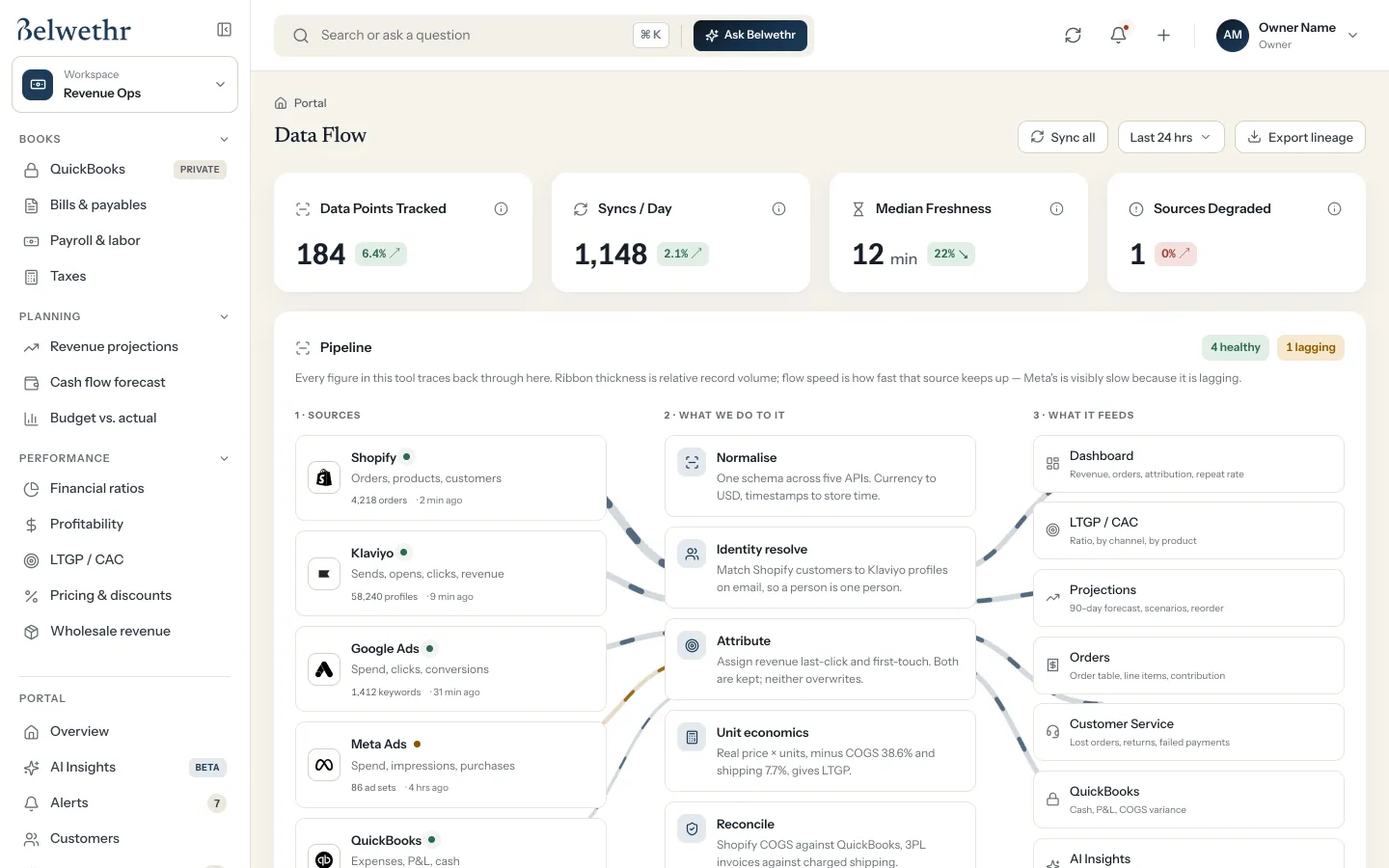
Data & Analytics connects your tools, cleans and matches what they report, and keeps every number traceable to its source. Ask a question in plain English and get an answer with the sources beside it.
ReadsShopify · QuickBooks · Klaviyo · Meta Ads · Google Ads
Before Thu, Sep 24
Three things need you.
- Review Meta ad data, 3 hours behindtoday
- Approve 212 email profiles matched to customersby Wed
- Decide where the next $10,000 in ads goesby Thu
What’s inside Data & Analytics.
The pages your team opens, and the question each one answers.
Foundation
- Data FlowEvery source, how fresh it is and where its numbers go.
- Customer matchingOne customer counted once across store, email and ads.
- Unit economicsThe real cost of an order: product, shipping and fees.
Insight
- OverviewRevenue, margin and what needs attention, across workspaces.
- AI InsightsPlain-English answers with the sources shown. In beta.
- ForecastsRevenue, cash and stock, rerun every morning.
Access
- AlertsOnly the changes that affect the plan.
- Exports and MCPYour numbers in a spreadsheet, or in the AI tools you already use.
What Belwethr handles.
Counts each customer once
Store customers are matched to email profiles and ad audiences, so one person isn’t three in your reports.
Shows its work
Every figure traces back to its source and the sync it came from. When a source is lagging, it says so.
Reads, never writes
Analysis only reads from your tools. Changes go through approvals in the workspace that owns them.
Examples use the sample business in the private demo.
More workspaces.
- Revenue OpsBooks, cash and profit, with the next 90 days in view.QuickBooks · Shopify · Stripe
- MarketingEvery channel tied to revenue, every launch on schedule.Klaviyo · Meta Ads · Google Ads
- Sales & CRMEvery deal with a next step and someone who owns it.Gmail · Calendar · QuickBooks
- WebsiteTraffic, search and conversion in one view.Search Console · Google Analytics · Shopify
- OperationsOrders out the door, stock that doesn’t run out.Shopify · Supplier email · Faire
- TeamGoals, meetings and tasks, each with a clear owner.Slack · Google Calendar · Google Drive

Your morning, in one view.
Belwethr is in private demo. Ask for access and the team will send you a link.